


Film and video transcription in 75+ languages
Film and video transcription services exist to make the edit faster. A transcript of your documentary interviews or raw footage only earns its cost if it gets you to the right soundbite quickly, with timecodes that match your timeline instead of a wall of unbroken text to scroll through.
Multilingual Connections transcribes footage in 75+ languages, built for editors working against a deadline, whether the footage is a single sit-down interview or hours of dailies.
Video transcription for every type of footage
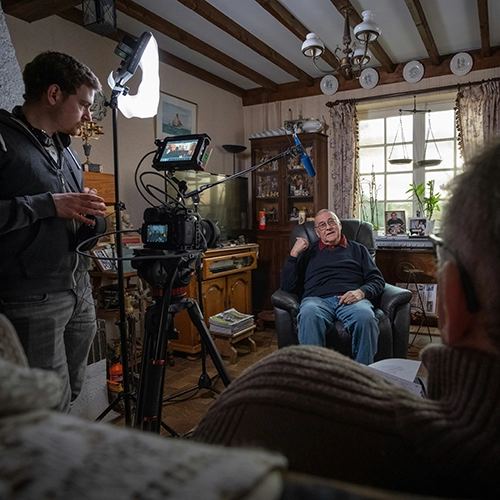
Documentary and interview footage
Documentary interviews, field interviews, and oral histories all come down to the same need: an accurate, searchable record of what someone actually said, however messy the on-location audio gets. A run-and-gun setup with wind noise gets the same careful listen as a formal sit-down under studio lighting, since documentary audio rarely arrives clean.
When the footage is really research, an anthropological project or an oral history archive rather than a film headed for release, our documentary interviews work overlaps directly with our research transcription services. For filmmakers working across languages or communities, that crossover is worth knowing about before you assume which page fits your project.
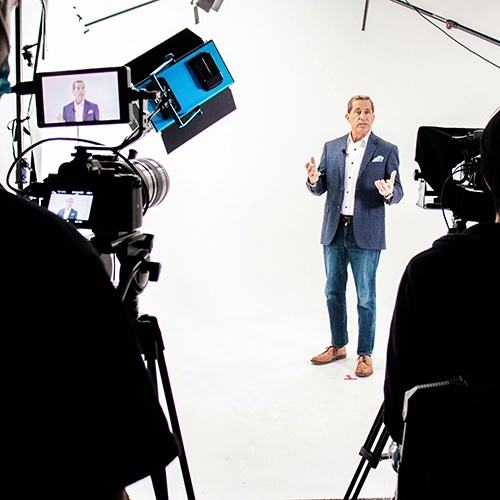
Corporate, training, and online video
Training videos, corporate communications, webinars, and content built for YouTube or social platforms move fast, often on tighter budgets than a documentary. Whether it’s a training video shot in three languages, a webinar recorded on a laptop mic, or a weekly YouTube series on a tight schedule, the audio quality varies as much as the format.
We transcribe all of it, including branded content for marketing and advertising teams who need a searchable script alongside the finished video, not after it ships.
Raw footage and dailies
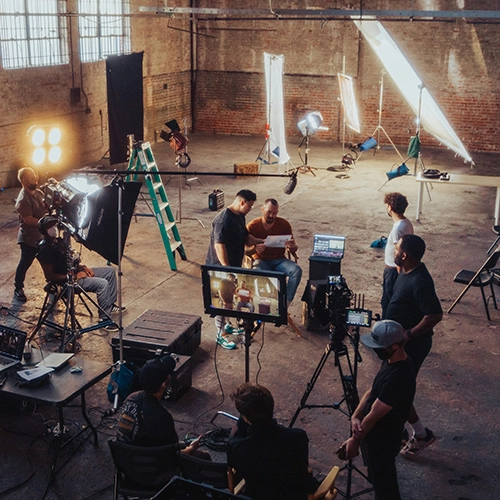
Unedited footage doesn’t need a polished transcript to be useful, it needs one editors can actually work from. False starts, retakes, and off-camera chatter can stay in or get left out entirely, whatever keeps your production budget intact and gives you exactly the elements you’re paying for, nothing extra. That flexibility extends to how much of the transcript you actually want: a rough pass just to locate soundbites, or a fuller record for a project still finding its structure.
Timecoded transcripts built for the edit
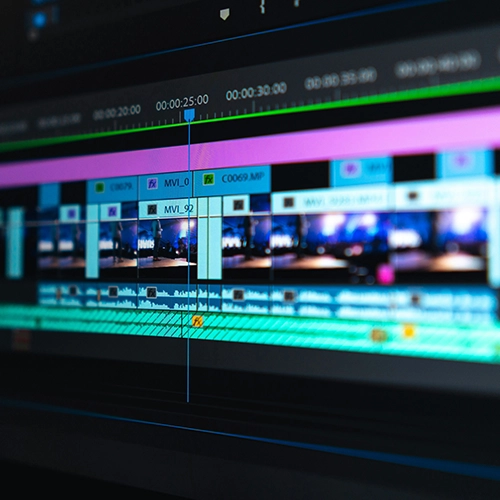
Every transcript comes timecoded, so instead of scrubbing through an hour of footage to find the line you remember, you can search the text and jump straight to that moment on your timeline. Scrubbing footage by hand to relocate a single quote can eat an afternoon on a long shoot; searching a timecoded transcript takes seconds. That’s the whole point: a transcript should save edit time, not just document what was said.
For documentary and interview-heavy projects, that same timecoded transcript becomes the basis for a paper edit, letting you structure a rough cut on the page before you touch the timeline. Speaker labels stay clean and consistent even across a long interview or a multi-person panel, so you’re not guessing who said what three hours into a review session.
Delivery is format-flexible rather than one-size-fits-all, built around how your specific editing workflow actually needs the file, not a default export that means extra steps before you can use it.
Multilingual film and documentary transcription
A subject speaking Arabic, Portuguese, or Tagalog on camera needs the same thing an English speaker does: a linguist who catches not just the words but the accent, slang, and cultural reference that a machine transcript flattens or misses entirely.
We transcribe foreign-language and mixed-language footage by human linguists, delivered in the original language, in English, or as a side-by-side record, the full range covered by our multilingual transcription services, reframed here for film and documentary work instead of research or business content.
Raw footage transcription
Need to transcribe your interview footage? Many editors don’t require full verbatim for their raw footage, but a transcription of your footage makes cutting and pasting together a video a lot easier. We offer several flexible transcription options.

Monolingual
Language A → Language A
Use monolingual transcription if you have an audio or video file and need a transcript in the same language as the one spoken in the file.
Interpretive
Language A → Language B
Use interpretive transcription if you have an audio or video file in one language and need a transcript in another language.
Double column
Language A → Language A & B
Use double-column transcription if have an audio or video file in one language and need a transcript in the same and in another language.
Don’t see what you need? We can create an option that best suits you and your distributor. We can include just those elements you need, leaving out any that you don’t, making the most cost-effective use of your production budget.
Why choose Multilingual Connections for film and video transcription
- Multilingual and cross-cultural strength on foreign-language and mixed-language footage, handled by human linguists rather than an automated tool guessing at an unfamiliar accent.
- Timecoded, editor-ready transcripts built around how post-production actually works, not a generic export dropped into your inbox.
- One relationship from transcript to subtitles, captions, and voiceover, so an editor isn’t stitching three different vendors together mid-project.
- Operating since 2005 and founded by a linguistic anthropologist, our language expertise is built into the work rather than added on top of it.
- Accessible to independent filmmakers and mid-market productions, not priced or positioned only for studios and networks.
Request a quote
It all starts with a first connection. Tell us how our international network of linguists and dedicated project managers can help!
Frequently Asked Questions
How are the timecodes formatted, and can they match my camera's source timecode?
Yes. We can sync our transcripts to the visible timecode burned into your video (BITC) or match the source media’s original timecode. Just let us know your preferred frequency—such as every time a new speaker begins, or at consistent 30-second intervals—so the text perfectly maps to your editing timeline.
Can I share a video link instead of uploading large files?
Yes. Large footage can be shared by link from common hosting or storage platforms rather than uploaded in full. Clean source audio still produces the most accurate transcript, regardless of how the file reaches us.
Do you transcribe footage with background music, ambient noise, or field audio?
Yes. Human linguists handle on-location and field audio where automated tools tend to lose accuracy, including ambient noise, wind, and overlapping speakers common in documentary work, the kind of audio a self-serve tool tends to mangle.
Will my unreleased footage and content stay confidential?
Yes. Footage and transcripts are handled under confidentiality agreements, with every linguist bound by NDA, which matters for embargoed projects, pre-release content, or anything already covered by an NDA with your production.
What's the difference between a transcript and subtitles or captions?
A transcript is the text of what’s said, used for editing and reference. Subtitles and captions are timed, on-screen text synced to the video, handled by our localization team as the next step once the transcript exists.
Can transcripts be delivered in the format my editing software needs?
Formats and timecode intervals can be matched to common editing workflows, including systems like Premiere, Avid, and Final Cut. Confirm your specific export needs when you send the project so the delivered file drops straight into your timeline instead of needing to be reformatted first.